Built for physical music collectors

Your record collection deserves a better home.

DeepGrooves helps you catalog records, manage a serious wishlist, organize personal views, track plays, review value, and decide what to listen to next.

Web app access. Private by default. Cancel anytime.

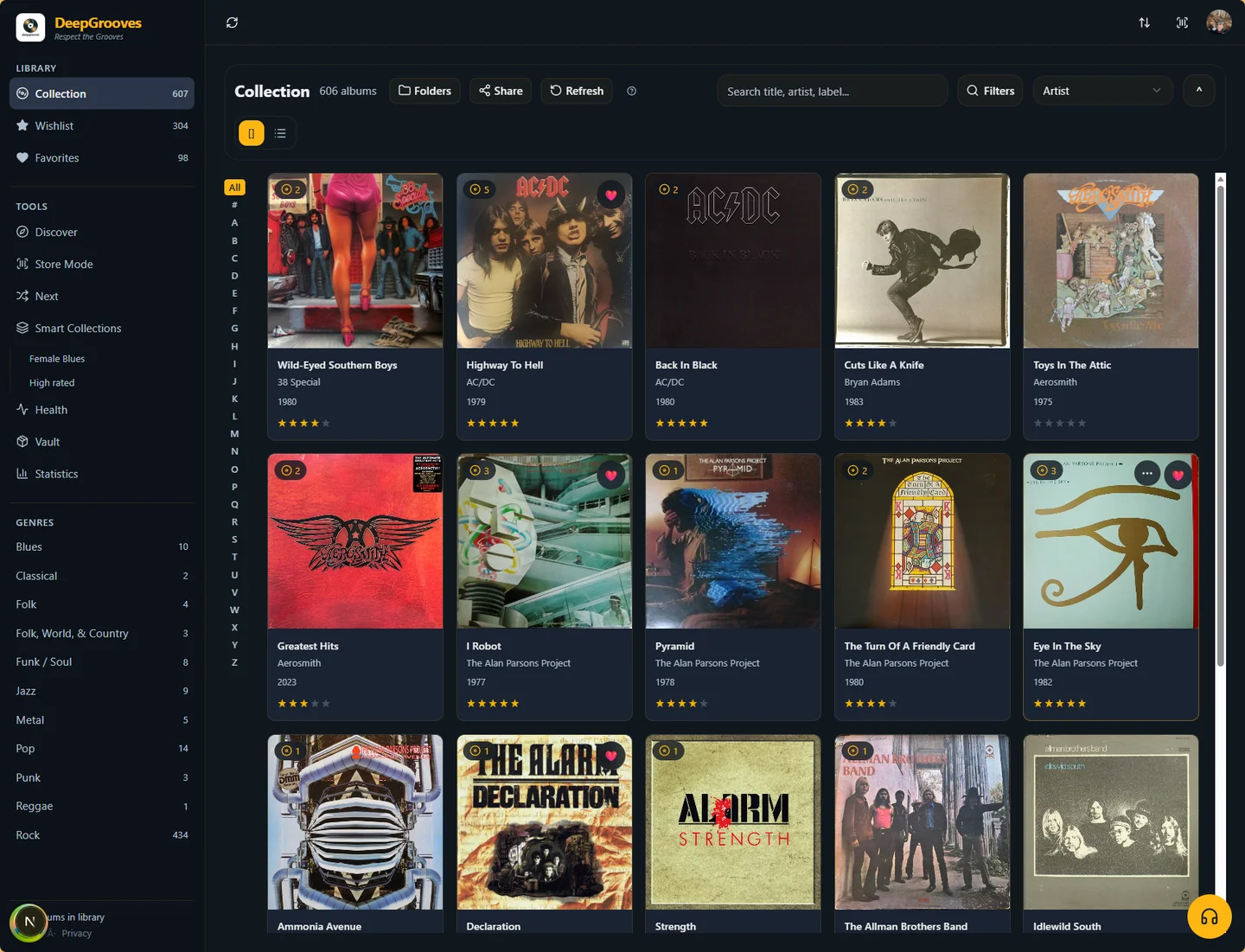
DeepGrooves collection grid with albums, filters, and library navigation.

Know what you own

A visual record catalog with collection, wishlist, favorites, ratings, pressing details, and notes in one place.

Find records faster

Search, filter, group, scan, and browse without losing your place in the collection.

Buy with context

Compare wishlist targets against what you already own, market value, and upgrade candidates before buying another copy.

Stay private

No public profile, no social feed, no ads. Share only the collection slices you deliberately publish.

Overview video

See DeepGrooves in action.

Take a quick tour of how DeepGrooves helps you catalog, organize, understand, and rediscover your physical music collection.

The daily workspace

Simple at the top. Collector detail when you need it.

The main catalog stays fast and scannable, while the detail flyout carries the collector data that makes the record more than a row in a spreadsheet.

  • Collection, wishlist, favorites, ratings, and play history
  • Pressing, format, label, country, year, catalog, and condition context
  • Tracklist, artwork, tags, vault location, and market value in the detail flyout
  • Simple Mode for day-to-day use, with deeper collector fields when you need them
Album detail flyout with artwork, pressing, tags, market value, and tracklist context.

Record Store Mode

Made for the crate-digging moment.

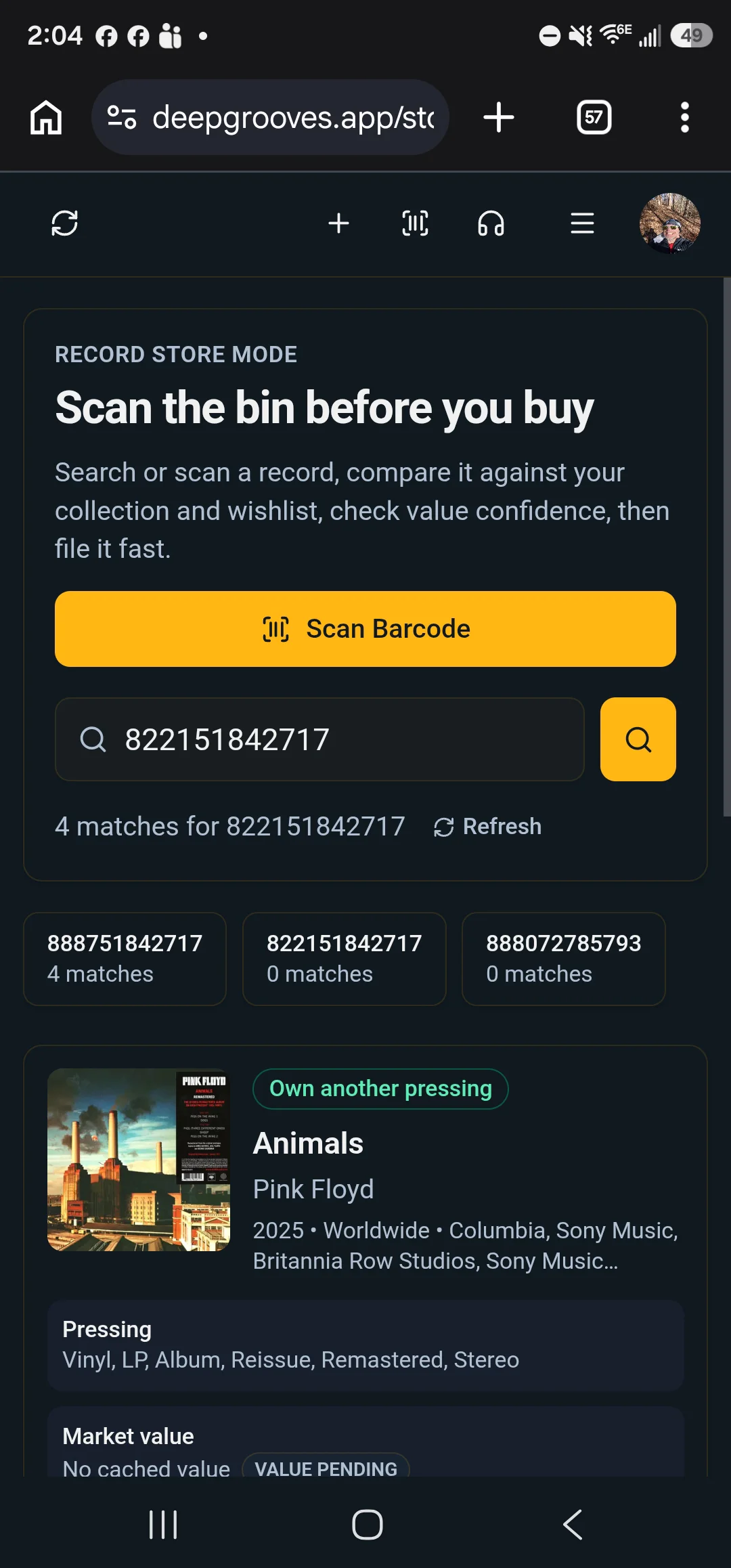
Scan or search a record, check whether it is already in your collection or wishlist, compare value confidence, then add it without bouncing through the full app.

  • Barcode scanner with text search fallback
  • Collection and wishlist ownership checks before you buy
  • Value confidence and quick wishlist or collection actions
  • A mobile-first flow meant for flipping through records in-store
Record Store Mode scanner active on a mobile-width screen.
Record Store Mode result showing collection, wishlist, and market value context.

Feature workflows

The same catalog powers the whole collecting workflow.

These are not separate mini-apps. They all work from the same record data, so cleanup, buying, listening, storage, and sharing reinforce each other.

Buy Smarter

Wishlist Intelligence

Turn a want list into a buying plan instead of a pile of maybe-someday records.

  • Set target and max prices for specific records
  • See good-buy, over-target, and alert states on wishlist cards
  • Compare wanted records against variants you already own
  • Track priority, condition goals, country/year preferences, and hunt notes
Wishlist cards with target prices, deal indicators, and alert badges.

Organize

Smart Collections, Tags, and Folders

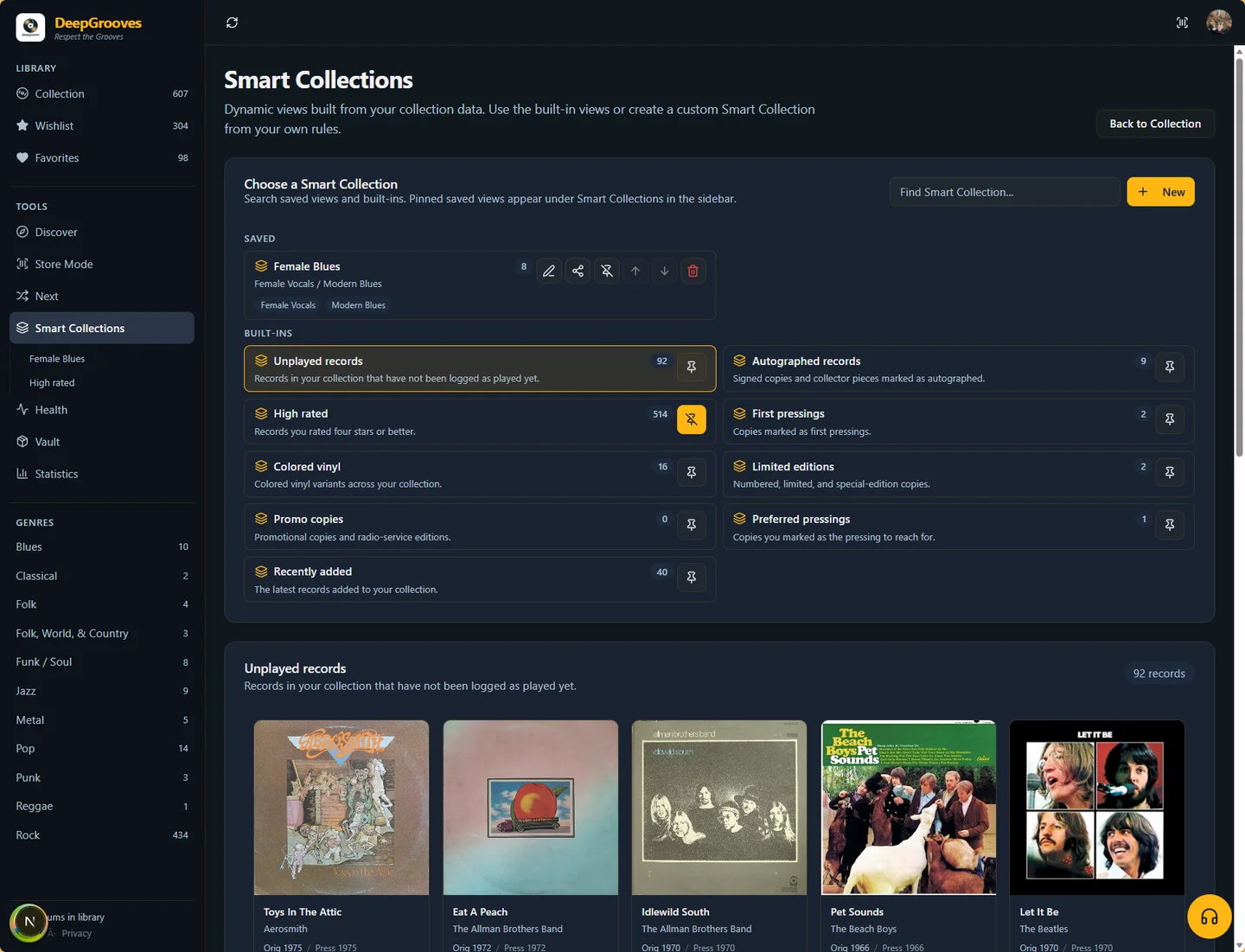
Build personal views around how you actually think about the collection.

  • Create user-defined tags with typeahead reuse
  • Combine tags and filters into saved Smart Collections
  • Pin frequent Smart Collections into navigation
  • Use folders for project lists, shelves, moods, genres, or any personal grouping
Smart Collections overview with saved views and pinned collection navigation.

Clean Up and Protect

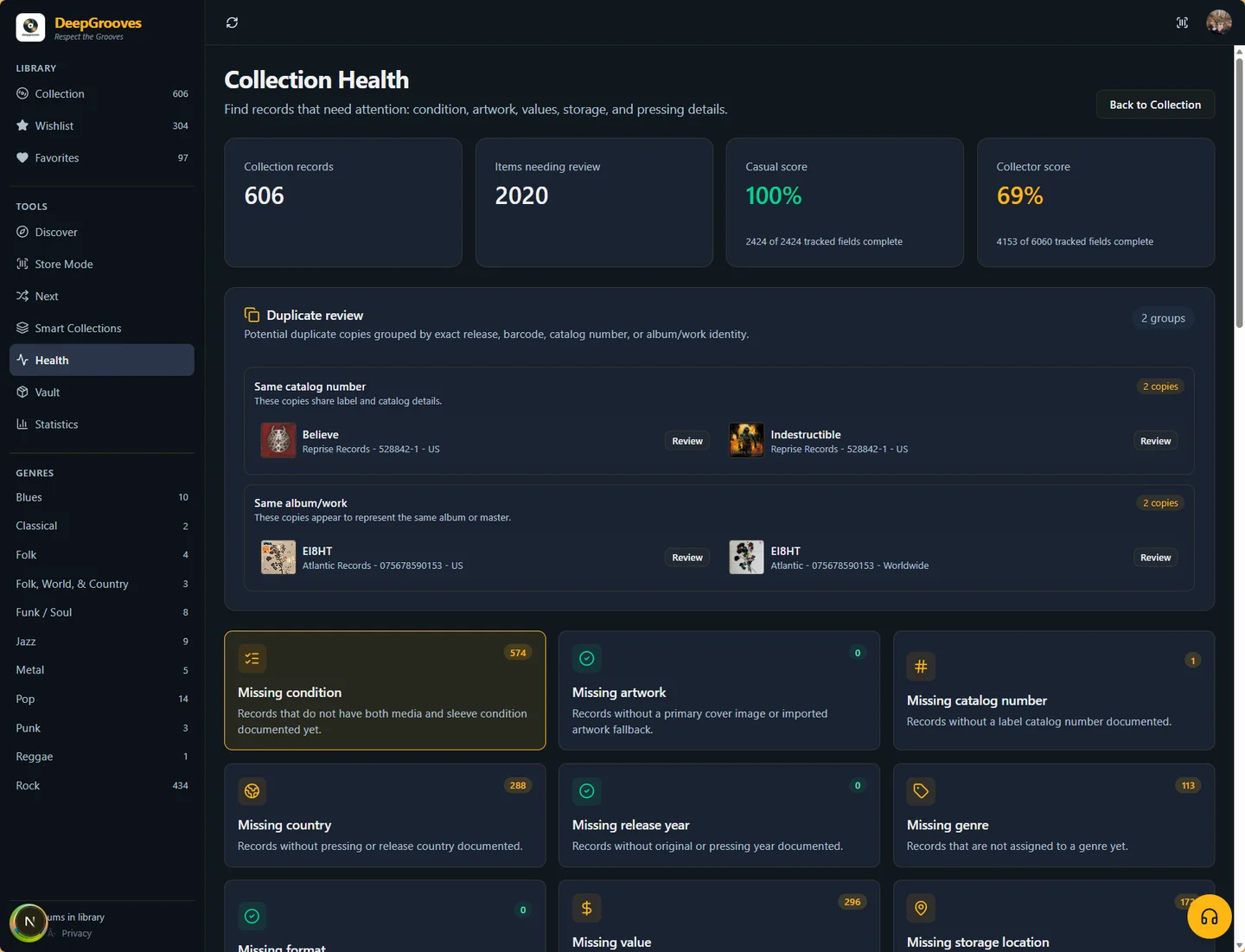
Collection Health, Vault, and Value

Keep the catalog useful after the first import, especially when the collection grows.

  • Find missing condition, metadata, value, and vault-location data
  • Use cleanup queues instead of hunting through the full collection manually
  • Track where records physically live by vault, rack, bin, row, and slot
  • Keep condition-aware market value context close to the record
Collection Health review screen showing cleanup categories and repair queues.

Rediscover

Next Listening and DeeJay

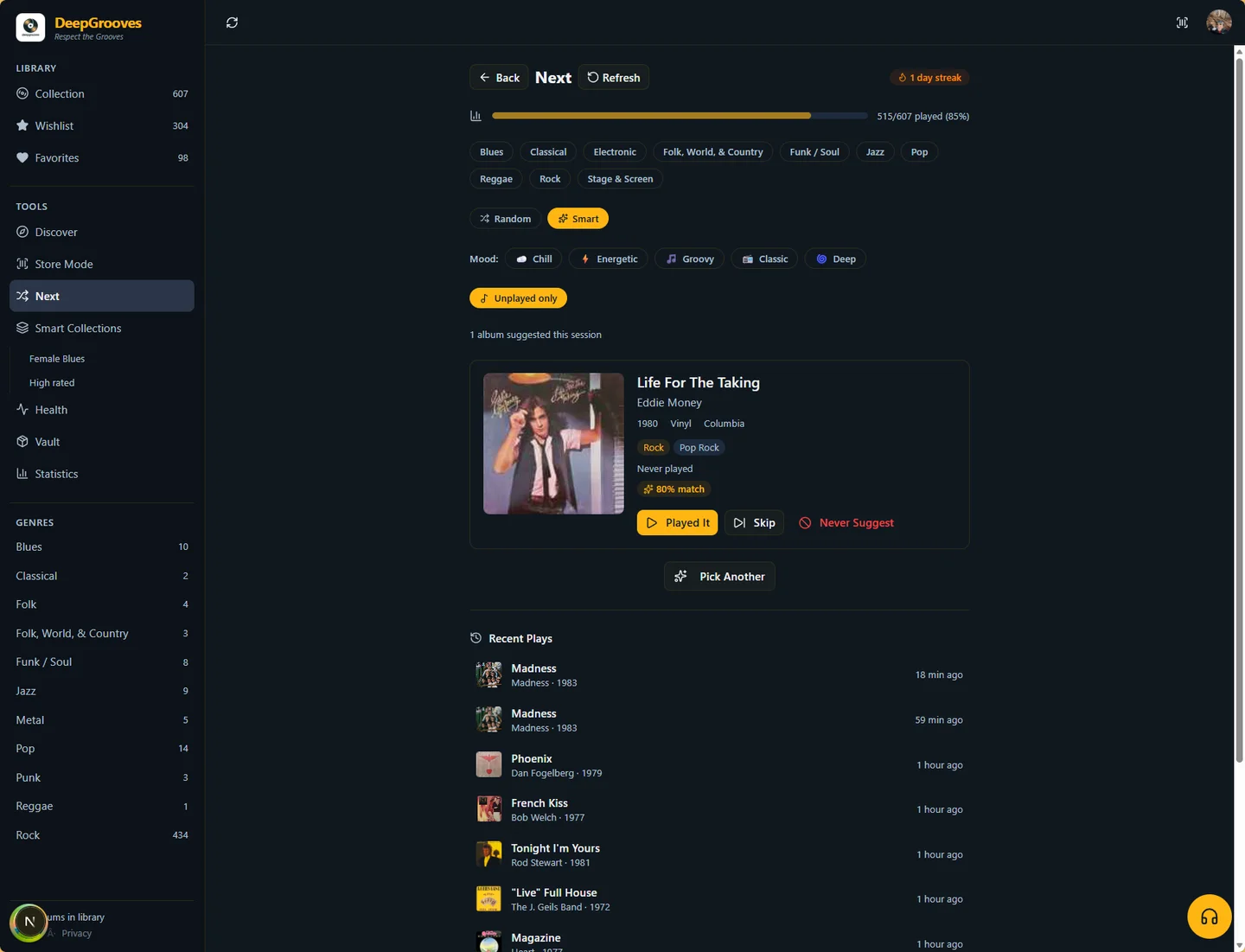
Use the collection you already built to decide what to play next.

  • Get collection-aware suggestions from your owned records
  • Use mood, genre, and unplayed filters to narrow picks
  • Log spins so play history becomes useful over time
  • Ask DeeJay for ideas and patterns without treating it as perfect
Next listening screen with smart recommendation controls and a suggested album.
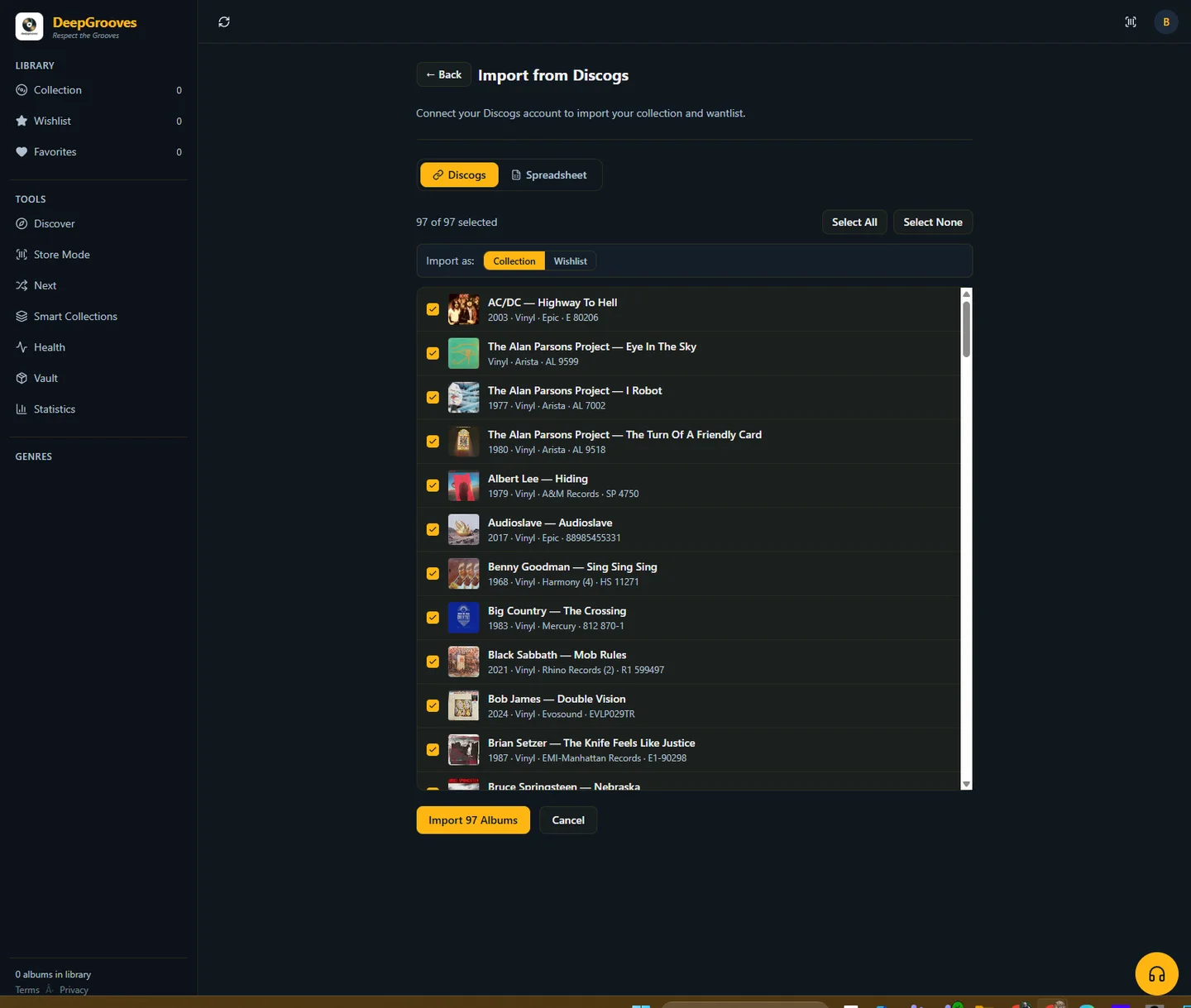
Discogs import review screen for bringing an existing collection into DeepGrooves.

Bring the catalog you already have.

Start with DeepGrooves catalog search, or bring in an existing catalog from Discogs, CSV, or Excel. Review rows before they become collection data, then use DeepGrooves to clean up ownership details instead of starting over.

  • Search the DeepGrooves catalog first, with Discogs import available when you already keep lists there
  • Map and review CSV or Excel rows before they become records
  • Use backup metadata sources to enrich artwork, pressing context, and track data where helpful
  • Use health checks afterward to fill gaps and clean up stale details

DeeJay helps you explore your own collection.

Ask collection-aware questions, get listening ideas, and explore patterns in your records. It is an assistant for discovery, not a replacement for your own taste or judgment.

Optional deeper feature tour

Your collection stays yours.

DeepGrooves has no public profiles, follower counts, ads, or social feed. Share links are read-only and limited to the slice you choose.

Simple pricing

One web product. Full access.

Choose monthly or annual access to the current DeepGrooves web app. No feature tiers for the current web product.

  • Full current DeepGrooves web app
  • Collection, wishlist, Store Mode, Smart Collections, Health, Vault, Next, and DeeJay
  • DeepGrooves catalog search plus Discogs, CSV, and Excel import paths
  • Private read-only sharing when you choose to share

Got questions?

Frequently asked.

What makes DeepGrooves different from a Discogs list?

DeepGrooves is a full collection workspace built around its own catalog of more than 45 million titles. Discogs can still be useful for import, marketplace context, and backup metadata, but DeepGrooves is where ownership details, wishlist targets, Vault locations, listening history, collection health, values, sharing, and Store Mode work together.

Where does the record data come from?

DeepGrooves is built on its own record catalog with millions of titles and pressings, updated monthly so search, matching, and collection tools start from DeepGrooves itself. You can then add the collector details only you know: condition, price paid, storage location, notes, runouts, wishlist targets, and personal organization.

Can I bring in my current collection or wantlist?

Yes. You can search the DeepGrooves catalog directly, connect Discogs when you already maintain collection or wantlist data there, or use CSV and Excel import paths. After import, DeepGrooves helps you review gaps and add owner-only details that outside catalogs usually do not track.

Do I need a huge collection for this to be useful?

No. DeepGrooves is useful for a small shelf, a serious vault, or anything in between. Smaller collections benefit from wishlist planning, Store Mode, favorites, and Next Listening just as much as larger libraries benefit from cleanup and organization tools.

Can I use DeepGrooves while shopping for records?

Yes. The web app is built for modern desktop and mobile browsers, and Store Mode gives you a search-or-scan workflow for quick buying decisions. Barcode camera support depends on your device, browser, and permission settings.

Is my collection public?

No. Your collection is private by default. Public sharing only happens when you create a read-only share link, and the link is limited to the collection, wishlist, folder, or Smart Collection scope you choose.

What does the subscription include?

A subscription unlocks the current DeepGrooves web app. Monthly and annual plans include the same web product access for launch, without separate feature tiers.

Ready to respect the grooves?

Start with the web app, bring in what you already have, and let the catalog become useful record by record.